BUGSBEE / 2026 / CHROME EXTENSION
Bug reports a developer can act on.
I cut a bug report from nine steps across five tools to three steps on the page. AI writes only when you ask it to.
- Role
- Solo designer and builder. I defined the problem, designed every screen and made the product calls.
- Build
- I directed Codex to build the extension and backend, then reviewed and tested what it made.
- Status
- Listed on the Chrome Web Store. Website live at bugsbee.in.
01 / Problem
A bug report is a pile of guesses.
Whoever spots a bug, a tester, a PM or a designer, has to turn it into something a developer can reproduce. What usually arrives is one line of chat and an unmarked screenshot. Then the questions start. Which browser? What did you click? Anything in the console?
A developer needs seven things before a fix: a summary, the location, steps, expected versus actual, the environment, logs and a severity. The reporter has all seven at the moment they see the bug. Ten minutes later the console is cleared and the steps are fuzzy.
So the brief was narrow. Capture on the page, at that moment, without asking the reporter to think like a developer.
02 / The job
9 steps become 3.
Before: 9 steps, 5 tools
- 01Spot the bugBrowser
- 02Take a screenshotSnipping tool
- 03Draw on itImage editor
- 04Open DevTools, copy errorsDevTools. Logs vanish after a refresh.
- 05Look up the browser versionchrome://version
- 06Write the steps from memoryNotes. Steps get fuzzy within minutes.
- 07Open a ticketJira or GitHub
- 08Paste text, attach filesJira or GitHub
- 09Answer follow-up questionsSlack. The back-and-forth adds hours.
After: 3 steps, one place
Hover or press a step to see which of the nine it replaces.
9 → 3 is a designed step count, not a measured speed-up.
03 / Try it
Pin a bug without installing anything.
A mock checkout page with a real alignment bug. Start a capture, pin the bug, and see the report BugsBee would build.
Cart › Checkout
Order summary
Subtotal₹2,349
Delivery₹150
Total₹2,499
Click the 🐝 in the toolbar to start a capture.
Demo with a made-up page and mock console lines, not the extension.
04 / Decisions
Four calls, and what each one cost.
Where does a capture start?
- rejected
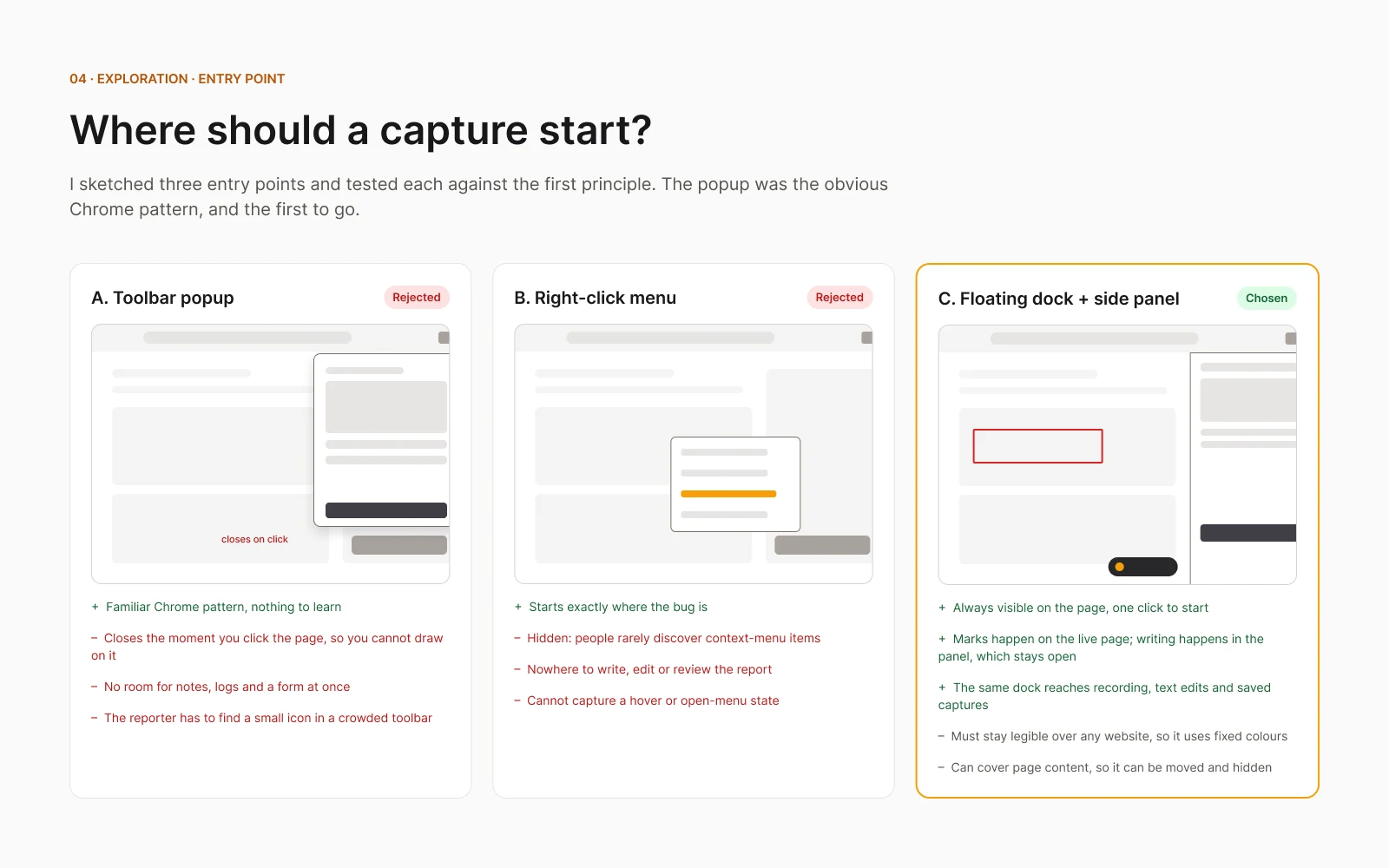
The toolbar popup
It closes the moment you click the page, so you cannot draw on what is broken.
- rejected
A right-click menu
Right place, but people rarely find context-menu items, and there is nowhere to write.
- chosen
A floating dock and the side panel
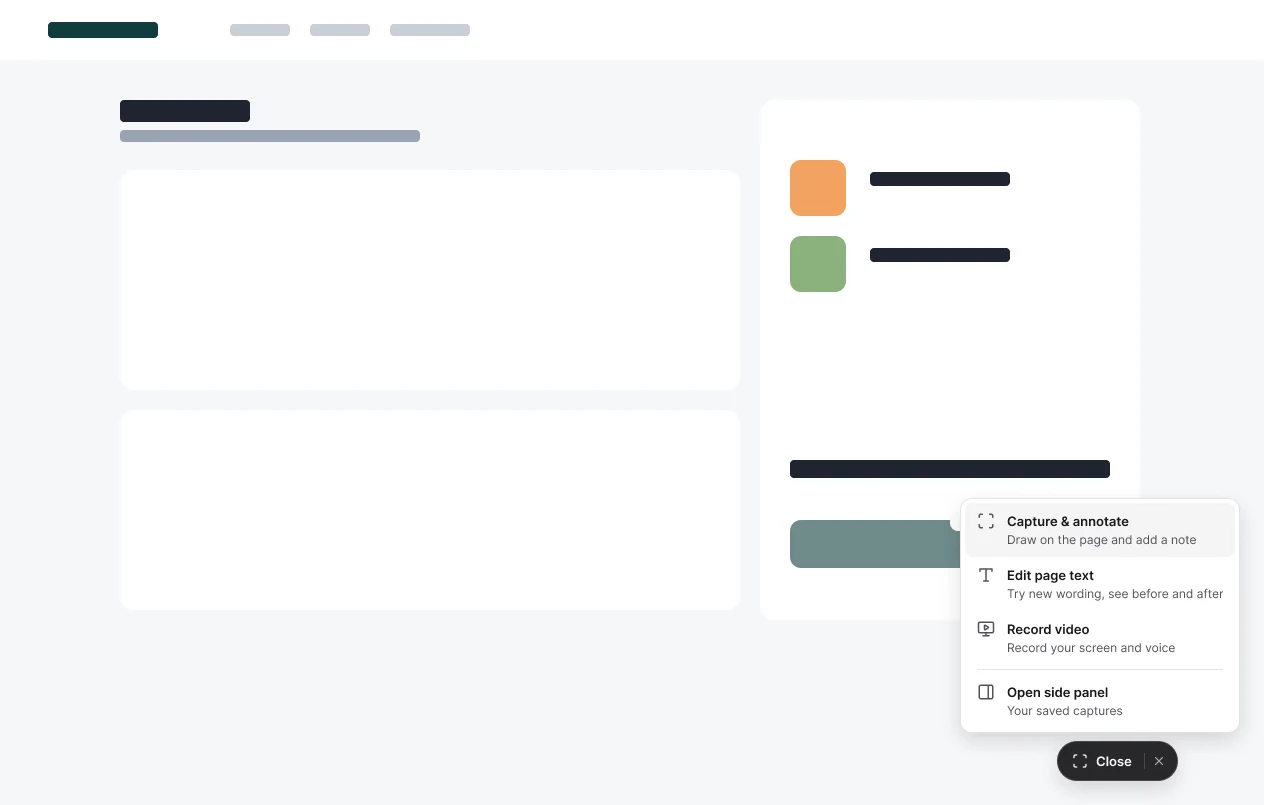
Marks go on the live page. Writing happens in Chrome's side panel, which stays open. The same dock leads to recording and text edits.
The cost. The dock can cover content, so it moves and hides. It uses fixed colours so it reads over any site.
How much should the reporter have to write?
- rejected
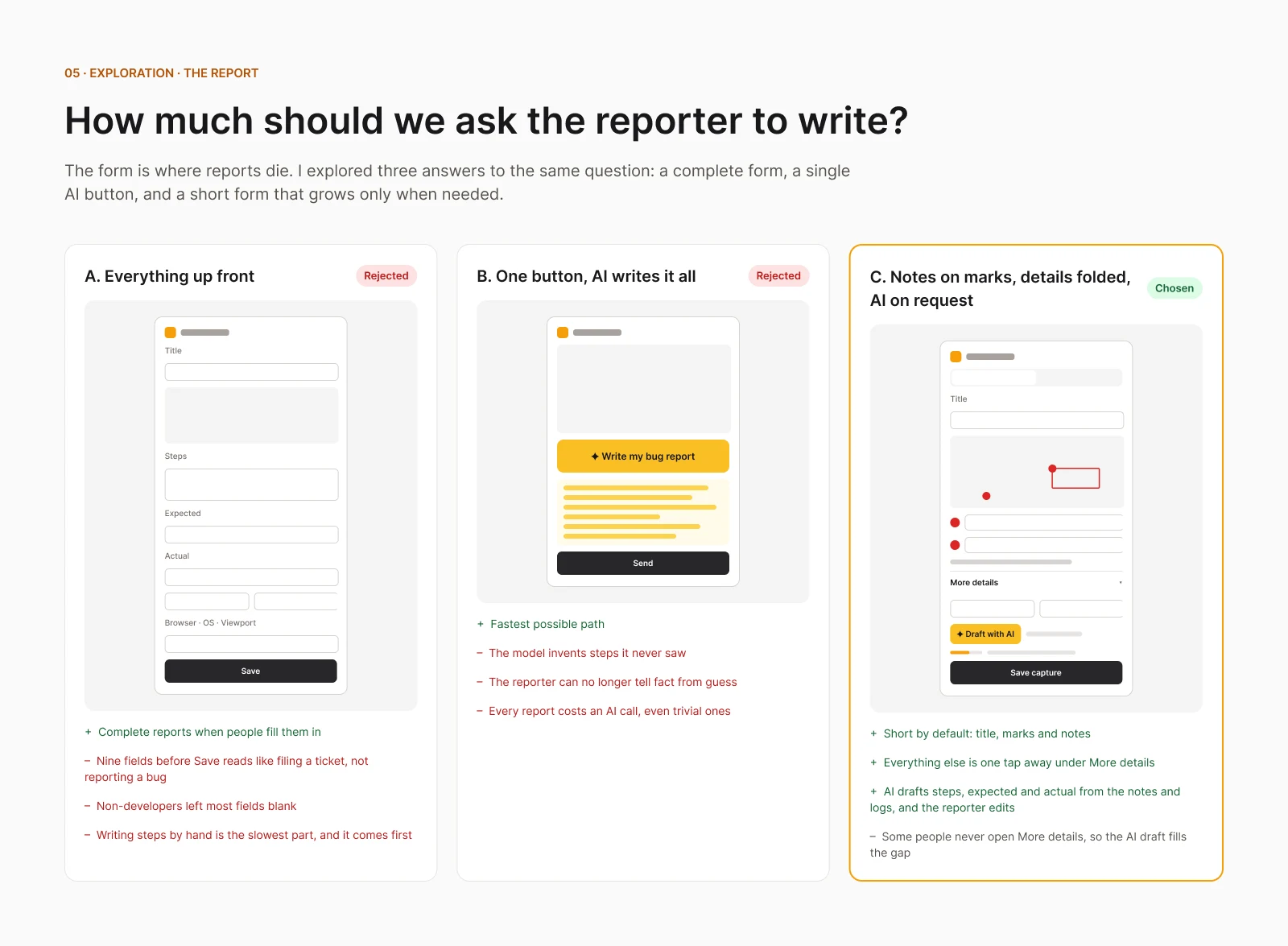
Everything up front
Nine fields before Save read like filing a ticket, and people left the important ones blank.
- rejected
One button, AI writes it all
Fast, but it invented steps it never saw, and the reporter could not tell fact from guess.
- chosen
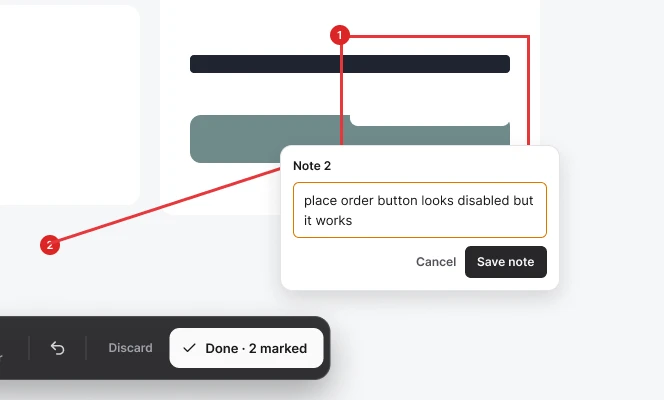
A title and one note per mark
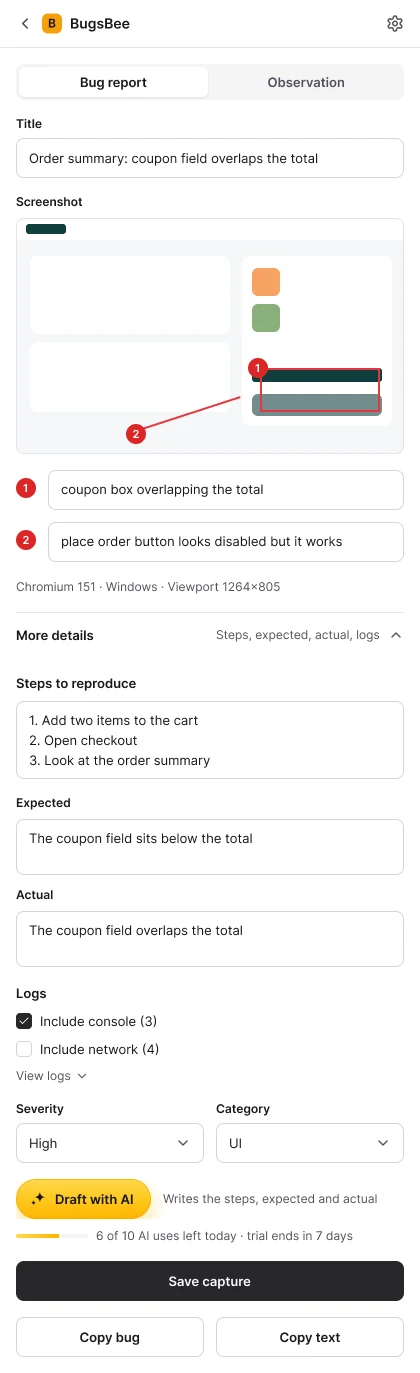
Steps, expected, actual, logs and severity fold under More details. Draft with AI fills them from the notes and logs. The reporter edits before saving.
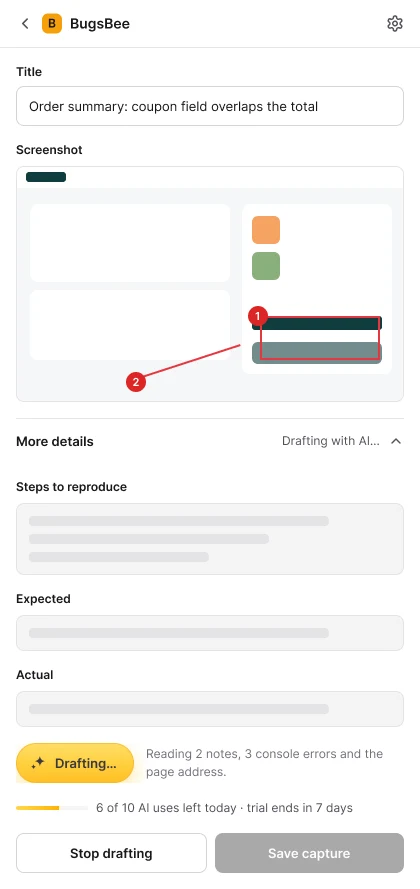
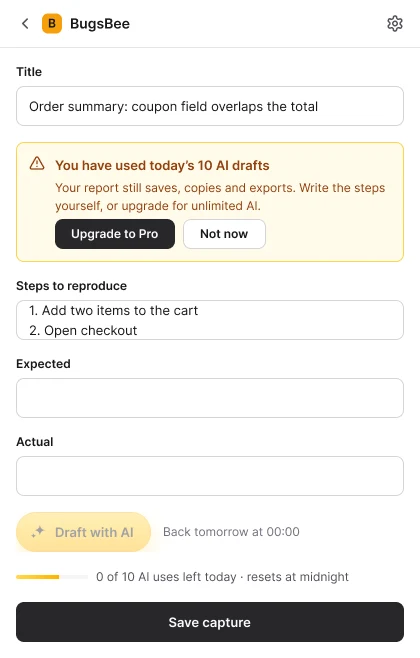
AI drafts. The reporter edits.
rejected AI on every capture — Every report would cost an AI call, even trivial ones, and the reporter would get text they never asked for.
chosen Drafting in the open
- 1It says what it is reading
Two notes, three console errors and the page address. No silent guessing.
- 2Fields show as skeletons
The fields it is writing are visibly in progress, so a half-written draft never looks finished.
- 3Save waits
The reporter cannot save a report that is still being written.
- 4Stop is one tap away
Stop drafting hands every field straight back to the reporter.
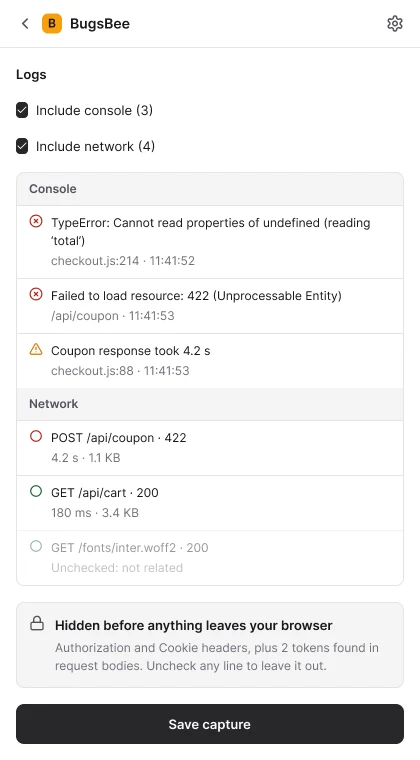
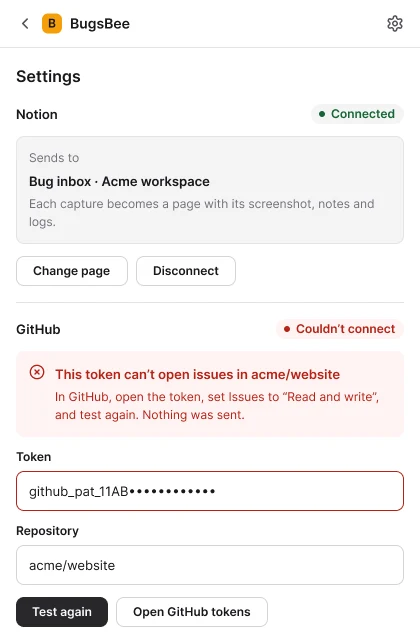
Logs are opt-in, line by line.
rejected Attach every console and network log — It is what developers want most. But logs carry tokens and personal data, and the reporter is the one sending them.
chosen The reporter sees every line
- 1Logs are opt-in
Console and network are separate switches, and the reporter chooses before anything is attached.
- 2Unrelated lines start unchecked
The font request is greyed out as not related. The reporter can uncheck any line.
- 3Hidden before it leaves the browser
Authorization and Cookie headers, and tokens in request bodies, are removed. AI drafts only from what the reporter kept.
05 / The product
One panel, one report.
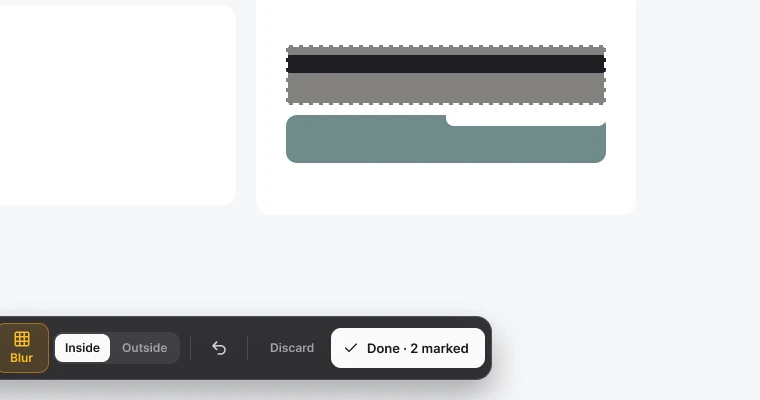
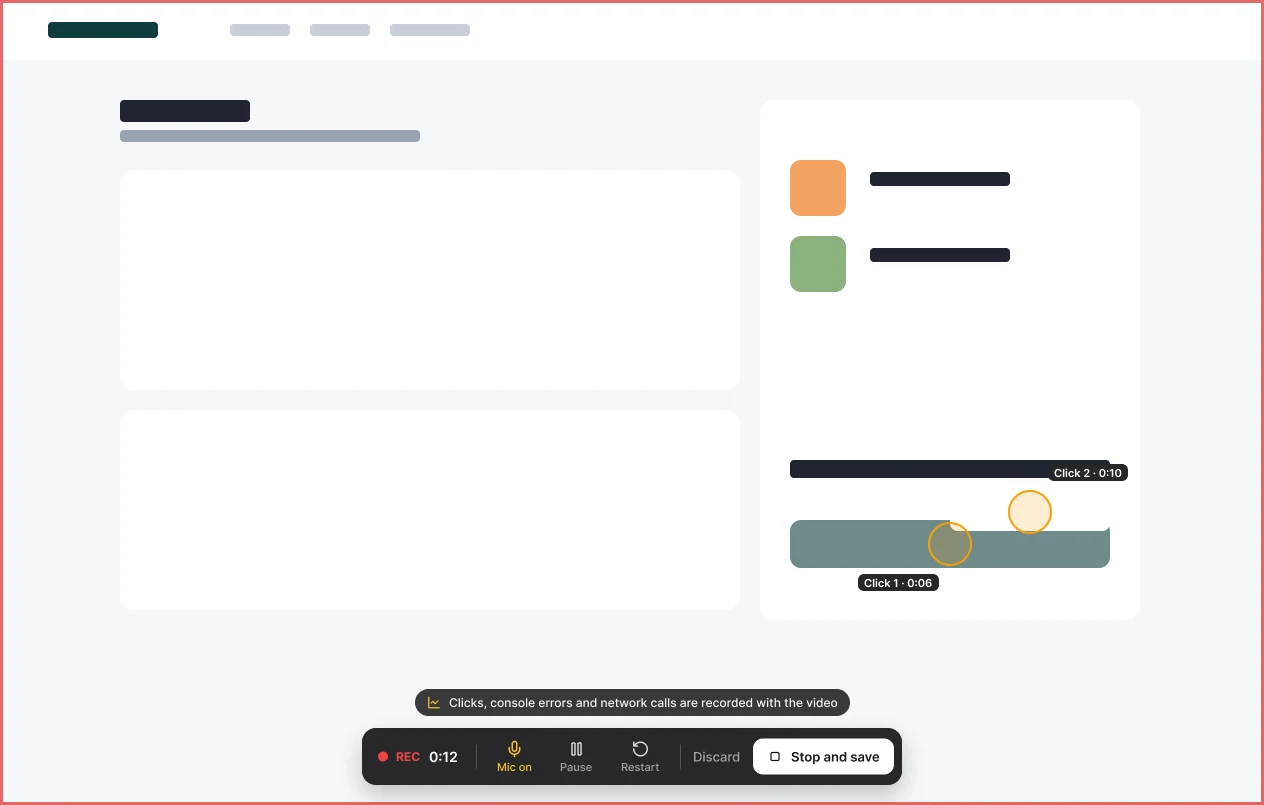
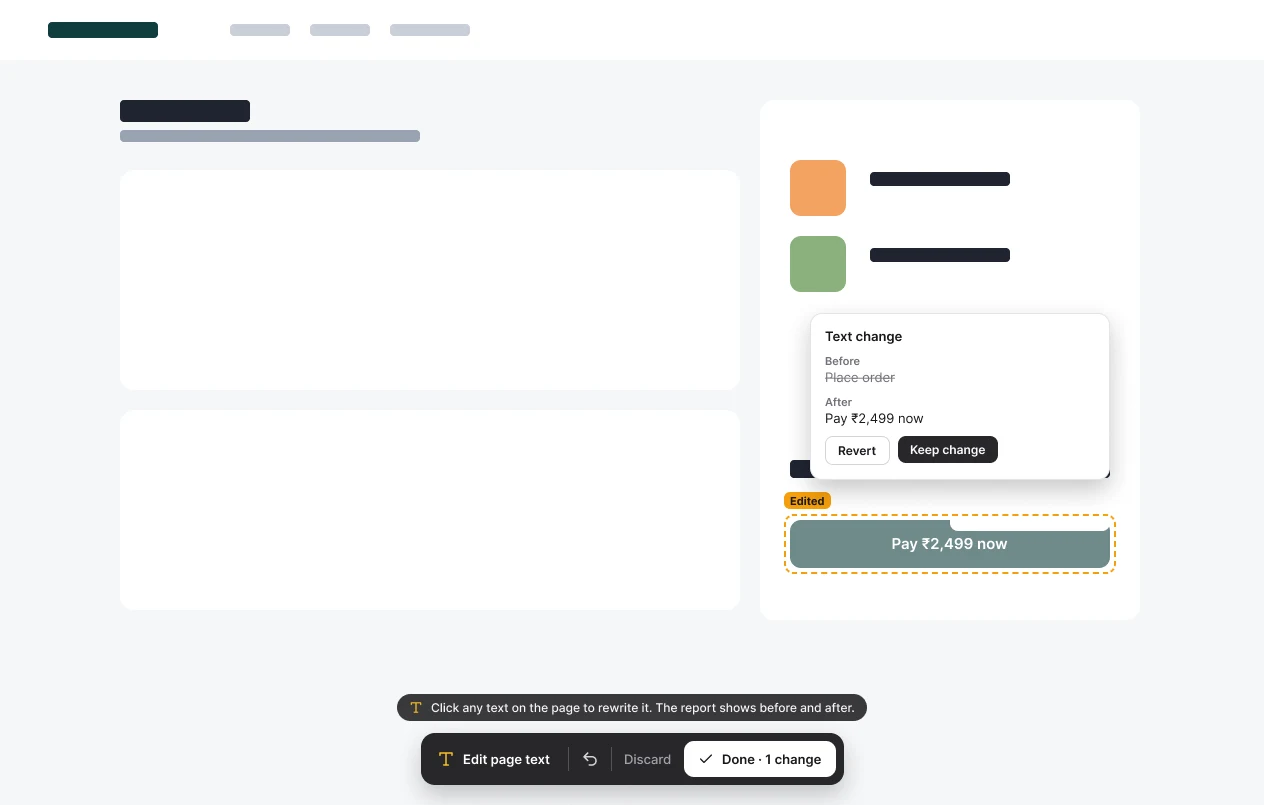
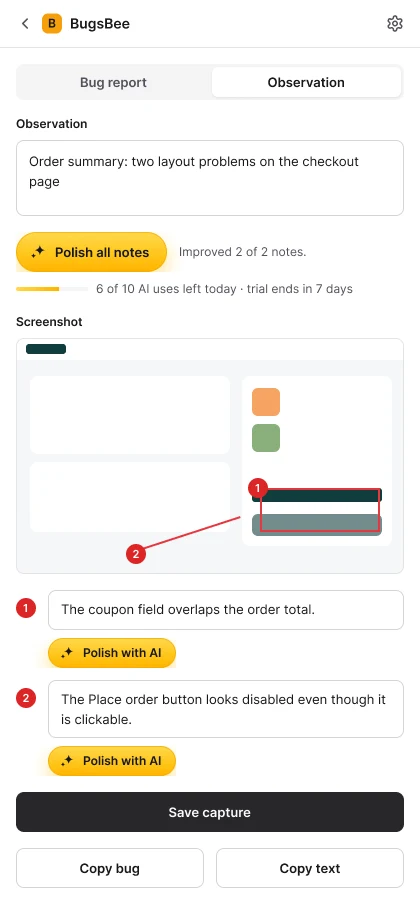
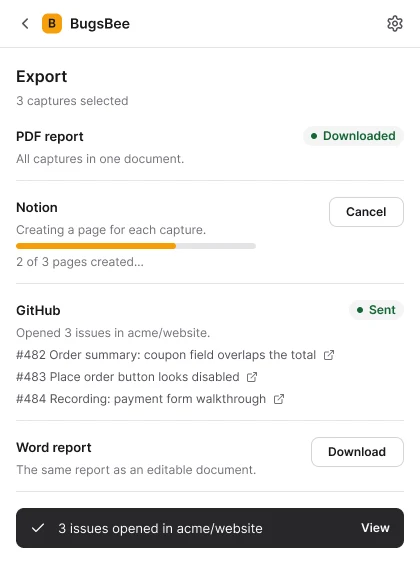
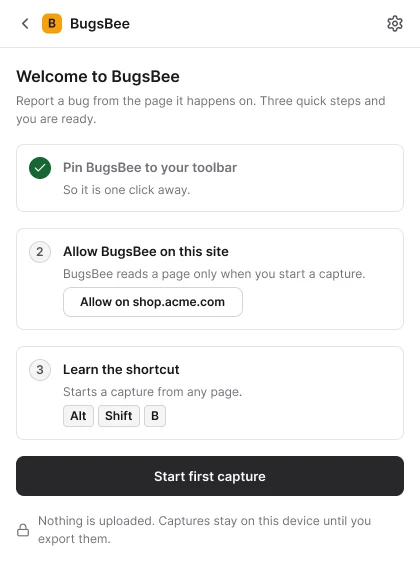
Each report carries a marked-up screenshot with one note per mark, steps, expected and actual, browser and viewport, and the console errors and failed network calls from that moment. A second mode, Observation, handles design feedback, which has no steps or severity. The same dock records the screen with voice, and lets a reviewer edit page text and show before and after.
On the page
In the side panel
06 / Outcome
Where it stands.
Listed on the Chrome Web Store. Website live at bugsbee.in. 9 → 3 is a designed step count, not a measured speed-up.
What it does not solve yet
Marks need a mouse.
A keyboard path would fix it: tab to a tool, place a mark on the focused element, nudge it with the arrow keys.
Pins rely on colour.
They are red, 20 px wide, on red outlines. They need a second cue and a bigger hit area.
Recording has no blur yet.
So a video can show what a screenshot would hide.